HamClock
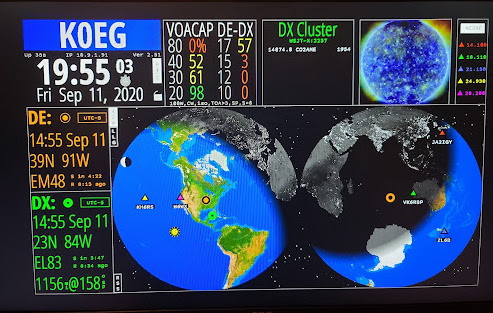
HamClock can receive UDP broadcasts from WSJT-X and JTDX to update the DX location on HamClock. GridTracker can in turn provide the same DX / Grid information that WSJT-X or JTDX does.
You must be using HamClock version 2.51 or greater.
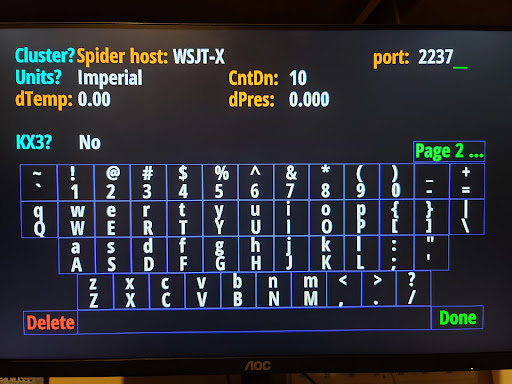
Enter WSJT-X for the “Cluster?Spider host:” and in “port:” enter the port number you configured in GridTracker to broadcast.
Click “Done” when finished.
HamClock will continue to load / launch.
Once HamClock is up and running, when you initiate a QSO, if configured properly, the DX station will be 1) shown in the DX window, 2) the VOACAP DE-DX will be updated, 3) the DX placed on the map along with the DX legend (lower left) will be updated.